Inference Internals · Part 1 of 5
What is the KV cache?A cook who keeps notes.
An AI model writes its answer one word at a time, and every new word has to look back at all the words before it. The KV cache is the set of notes that makes that look-back cheap. It's also the thing that fills up your GPU.
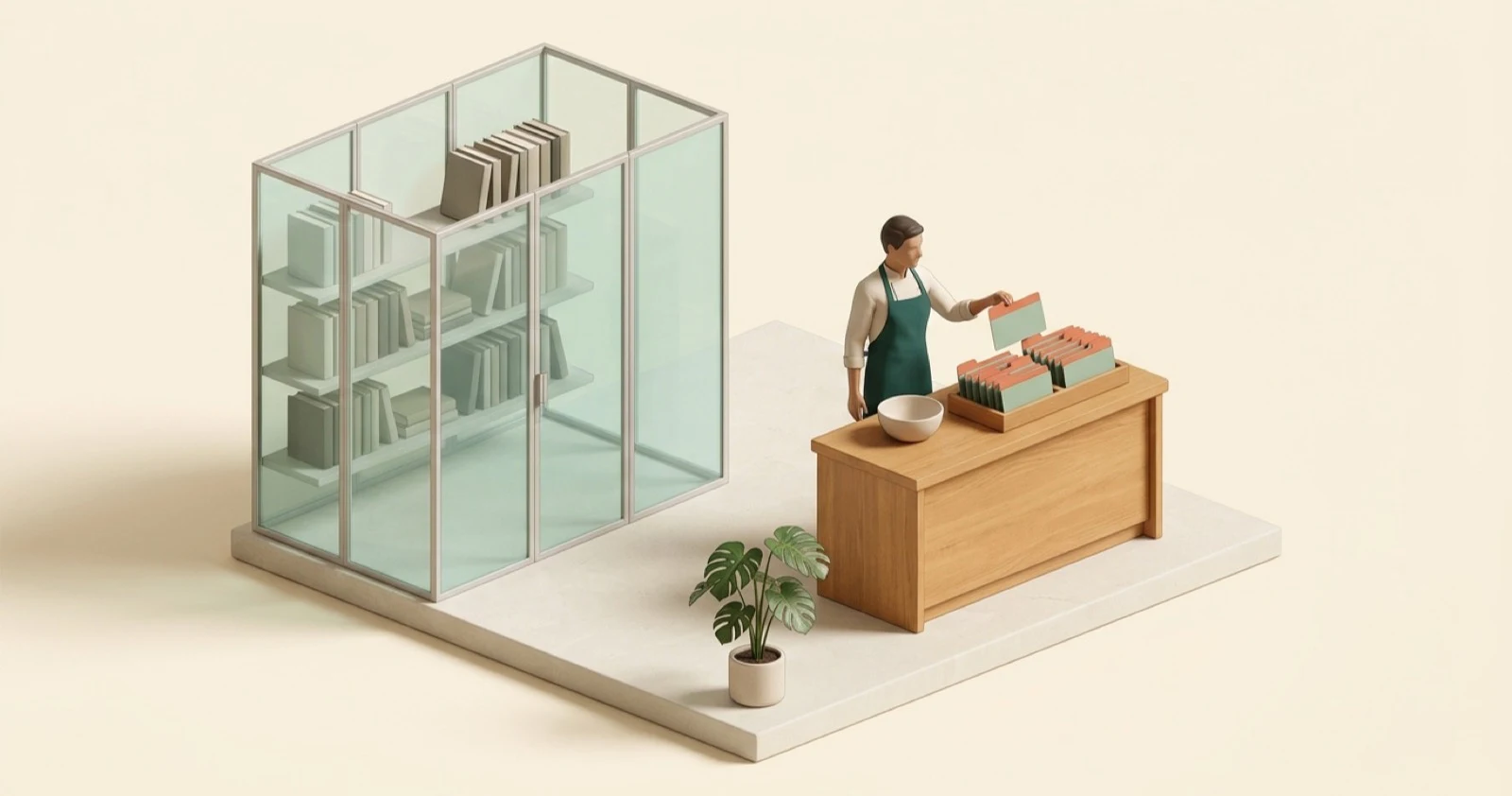
KV cache and PagedAttention are two ideas I wanted to understand properly, well enough to explain them to someone else. The explanations I kept running into went straight to matrices and formulas, and honestly, the maths confused me more than it helped.
So this is the version I wanted to read. No equations. One picture, carried all the way through, and real numbers only where they help.
Here's the picture. In my Inference Masterclass, we treated a language model as a cook in a restaurant kitchen. The recipe books, the model's weights, are locked in a glass room: the cook reads them all the time but never changes them. A customer's order is your conversation. And the cook writes the reply one word at a time. This article zooms in on one thing on that cook's counter: a tray of index cards. That tray is the KV cache.
01 / The problem
Why would a model re-read your whole chat for every word?
A model doesn't write a reply in one go. It picks one token (a word or a piece of a word), adds it to the text, and runs again to pick the next one. A 200-token answer means 200 runs, one after another. For English, 100 tokens is about 75 words. [13]
To pick each next word, the model looks back at every word so far. That look-back is called attention. Take "The chef tasted the dal because it". To make sense of "it", the model has to look back and work out that "it" is probably the dal, not the chef.
For that look-back, the model needs a small summary of every earlier word, at every one of its layers. (Llama 3 8B has 32 layers. [8]) Here's the wasteful part: without a cache, the model works those summaries out again for every earlier word, on every single step. Word 100 recomputes the summaries for words 1 to 99. Word 101 recomputes them for words 1 to 100. Hugging Face's docs put it simply: without caching, "for each step, recompute all previous" keys and values. [1]
It's like a cook who keeps no notes. For every new word of the order, the cook goes back to the top of the slip and works out every earlier word from scratch.
The fix is obvious once you see it: work out each word's summary once, write it on a card, and file it in a tray. Next step, only the newest word needs a new card. The old ones are read, not recomputed. The cards hold exactly what the model would have worked out again, so you skip the repeat work without changing what's being computed. [1]
Figure 1 · Redoing the work vs. keeping notes
No notes
- The
- cat
- sat
- on
- the
- mat
20 card calculations so far
With a KV cache
- The
- cat
- sat
- on
- the
- mat
6 card calculations so far
- Worked out this step
- Read from the tray
Writing "mat": without notes, the model has now done 20 card calculations. With a KV cache, it has done 6, one per word.
- In the kitchen
- The cook writes one card per word of the order and files it in a tray. For the next word, the cook reads the tray instead of re-working the whole order.
- In the model
- For every token, at every layer, the model computes a key and a value once and stores them. Each new step computes only the newest token's.
02 / The cards
What's actually written on each card?
The name gives it away: K is for key and V is for value. Look at the banner at the top. Each card has two parts, a coral tab and a sage body. That's the whole idea.
- The key is the tab. It says what this word is about, so later words can find it. The card for "dal" has a tab that roughly says "food, the thing being tasted".
- The value is the body. It's what this word hands over when a later word decides it matters.
- The query is a question. Only the newest word asks one. For "it", the question is roughly "which thing am I talking about?"
One step of attention goes like this. The newest word's question is compared with the tab of every card in the tray. Good matches get a bigger share. The shares always add up to 100%. Then the model blends the bodies of the cards using those shares, and that blend is what the new word means in this sentence. [1] Step through it:
Figure 2 · One step, in slow motion
The tray (cached cards)
- The2%
- chef22%
- tasted9%
- the5%
- dal58%
- because4%
- it
The newest word
it asks: "which thing am I talking about?"
Mostly dal, a bit of chef
- 1. The new word, "it", gets its own card: a tab and a body. It also gets a question: which thing am I talking about?
- 2. The question is checked against the tab of every card already in the tray. "dal" matches best, and "chef" matches a little.
- 3. The match scores become shares that add up to 100%. "dal" gets 58%.
- 4. The model blends the card bodies using those shares: mostly "dal", some "chef". That blend is what "it" means here.
- The full step: the question for "it" is scored against every tab, the scores become shares, the bodies are blended by share, and the new card for "it" is filed in the tray. The question itself is thrown away.
Notice what isn't kept: the question. A word asks its question once, on its own step, and no later word ever needs it again. Hugging Face's docs say it directly: you only need the last token's query. [1] That's why it's a KV cache and not a QKV cache.
One more thing that's easy to miss: a real model doesn't keep just one card per word. It has many layers, and each layer has several heads, parallel look-ups that each search for a different kind of link. So every word gets a small stack of cards. We'll count that stack in chapter 5.
- In the kitchen
- To understand "it", the cook runs a finger along every tab, pulls the best matches, and reads mostly from those cards.
- In the model
- The newest token's query is scored against every cached key. The scores become weights that add up to 1, and the output is the weighted mix of the cached values.
03 / Why it works
Don't old cards go out of date when new words arrive?
It's a fair worry. If you add a word at the end, doesn't it change what the earlier words mean? Shouldn't their cards be rewritten?
In a chat model, no. These models follow one strict rule: a word may only look back, never forward. Hugging Face describes it like this: the mask "prevents the model from attending to future tokens", so once a token is processed, its keys and values never change because of later tokens. [1] The card for word 5 depends only on words 1 to 5. Word 6 can't touch it. That's what makes the cards safe to keep.
There's a flip side, and it matters a lot in chapter 6. Because a card depends on everything before it, the same word in two different places gets two different cards. The PagedAttention paper states it plainly: "the KV cache of the same token appearing at different positions in a sequence will be different." [2] The word "dal" in your chat and "dal" in mine are not the same card.
- In the kitchen
- The cook only ever reads backwards through the order, so a card filed earlier is never out of date.
- In the model
- Causal attention: each token attends only to itself and earlier tokens, so its keys and values don't change later.
04 / Two phases
What happens between you pressing Enter and the answer streaming in?
Two different things, and the KV cache plays a different part in each.
Prefill comes first. The model reads your whole prompt at once. Every word of it is already known, so it can write all their cards in parallel, which is exactly what a GPU is good at. At the end of prefill, the model has the first word of its answer, and the tray holds a card for every word of your prompt. [2]
Decode is everything after that. One word per step: write one new card, read every card in the tray, pick the next word, repeat. [2]
Decode is the slow part, and the reason surprises most people. It isn't the maths. Each step does very little maths but has to fetch a lot from memory: all the model's weights, plus every card this chat has. The PagedAttention paper says this phase "severely underutilizes GPU computation and becomes memory-bound". [2] Back in 2019, Noam Shazeer pinned the slowness on "the memory-bandwidth cost of repeatedly loading the large 'keys' and 'values' tensors". [4] In the Masterclass we called this the warehouse walk.
- In the kitchen
- Prefill: read the whole order slip and write all its cards in one go. Decode: one word at a time, carrying the recipe books and the whole tray to the counter each time.
- In the model
- Prefill computes the prompt's keys and values in parallel. Each decode step reads the weights and the whole KV cache to produce one token.
05 / The size
How much space do the cards take?
More than you'd guess. Each token doesn't get one card. It gets a key and a value, at every layer, for every key-value head. So the size of one token's cards is:
2 (key and value) × layers × key-value heads × numbers per head × bytes per number
That's the only formula in this article, I promise. Plug in Llama 3 8B: 32 layers, 8 key-value heads and 128 numbers per head [8], stored at 2 bytes per number. That's 131,072 bytes, or 128 KiB (a KiB is 1,024 bytes), for every single token. An 8,192-token chat, roughly 6,000 English words, needs 1 GiB of cards.
| Model | Key-value heads | Per token | One long chat |
|---|---|---|---|
| OPT-13B | 40 (every head has its own) | 800 KB | 1.6 GB at 2,048 tokens |
| Llama 3 8B | 8 (shared by 32 heads) | 128 KiB | 1 GiB at 8,192 tokens |
| Llama 3 70B | 8 (shared by 64 heads) | 320 KiB | 2.5 GiB at 8,192 tokens |
Look at the first two rows. OPT-13B needs more than six times as much per token as Llama 3 8B. Size alone doesn't explain that. The difference is that OPT gives every head its own keys and values, while Llama 3 makes groups of heads share them. Hold that thought for chapter 8.
- In the kitchen
- Every word gets a small stack of cards, one for each layer and shared head. A long order fills the tray fast.
- In the model
- Llama 3 8B stores 128 KiB per token, so an 8,192-token context is 1 GiB of KV cache in 16-bit precision.
06 / Many people at once
What happens when hundreds of people chat at the same time?
This is the question I cared about most, because it's what real serving looks like.
First, every chat gets its own tray. Chapter 3 told us why: a card depends on every word before it, so your cards are useless for my chat. Two chats can only share cards for a beginning that's word-for-word identical, like the same system prompt. Part 2 covers that trick.
Second, you want lots of chats on the GPU at the same time. Remember, decode is slow because of fetching. If the cook serves one table per trip to the recipe room, that trip is expensive. If the cook serves 50 tables on the same trip, the trip is shared. Serving systems do exactly this: they put many requests into one batch, so each step does useful work for all of them.
Put those together and you get the real limit. GPU memory holds the weights, which are fixed, and every chat's tray, which keeps growing. When the PagedAttention team served a 13-billion-parameter model on a 40 GB NVIDIA A100, about 65% of memory went to weights and close to 30% to these per-request notes. [2] They also point out that how you manage that 30% decides your maximum batch size, and so how many requests per second you can serve. [2]
Try it yourself. The calculator uses Llama 3.1 8B, which has the same shape as Llama 3 8B but can take chats up to 128K tokens. [9]
Figure 3 · How many chats fit on one GPU?
Per token128 KiB
Per chat1.07 GB
All chats34.4 GB
- Weights, 16 GB
- KV cache
- Free
Fits: 50.4 GB of the 73.6 GB vLLM would use. At this length, up to 53 chats fit at once.
Play with it and you'll see the pattern. At 8,192 tokens each, around 50 people fit. At 32K tokens, about 13. At 128K, three. The model didn't change. Only the length of the chats did.
- In the kitchen
- Each table gets its own tray. Counter space is fixed, so the trays, not the cook, decide how many tables you can serve at once.
- In the model
- Each request has its own KV cache. GPU memory left after the weights sets how many requests fit in a batch.
07 / The catch
So what's the downside?
The KV cache is a trade: you spend memory to save repeat work. It's a very good trade, but it comes with real costs.
| Drawback | What you notice | What helps |
|---|---|---|
| It eats memory, and keeps growing | Fewer people per GPU, especially with long chats | Models with shared keys and values, FP8 (chapter 8) |
| Reading it takes time | Long chats stream each word a little slower | Smaller cards; shorter chats |
| Nobody knows how long an answer will be | Servers that reserve room for the longest answer waste most of it | PagedAttention (Part 2) |
| Memory runs out under load | A request gets paused, and its cards are worked out again later | More KV room, fewer requests at once (Part 2) |
| Sharing is limited | Only word-for-word identical beginnings can share cards | Prefix caching, with care for privacy (Part 2) |
The third row deserves a closer look. One person asks for "yes or no". Another asks for a 2,000-word essay. Older serving systems reserved room for the longest possible answer the moment a request arrived. The vLLM team measured that those systems wasted 60% to 80% of their KV cache memory this way. [3] That waste is the whole story of Part 2.
And the fourth: when there's no room left, vLLM pauses a request to free its space and works its cards out again once memory is free. Its docs warn that this "can adversely affect end-to-end latency". [11] For the person waiting, the answer just stalls.
08 / Smaller cards
How do people make the cards smaller?
Two ways: build the model so it needs fewer cards, or store the cards more cleverly when you serve it.
In the model's design
- Share tabs between heads. In 2019, Shazeer proposed multi-query attention (MQA): all heads share one set of keys and values. It decodes "much faster" with "only minor quality degradation". [4] Grouped-query attention (GQA) is the middle ground: groups of heads share. Its authors report quality "close to multi-head attention with comparable speed to MQA". [5] This is what Llama 3 does, 32 heads sharing 8 sets of keys and values, which is why its cards are so much smaller than OPT's. [8]
- Compress the cards. DeepSeek-V2's multi-head latent attention (MLA) squeezes each token's keys and values into one smaller vector. DeepSeek reports it "reduces the KV cache by 93.3%" compared with DeepSeek 67B. [6]
- Only keep recent cards. Mistral 7B uses sliding window attention: each layer looks back only a fixed number of tokens, so its cards fit in a fixed-size, rolling tray. [7] The cost is that one layer can't look directly at words far back.
When you serve it
- Write smaller numbers. Store keys and values in 8-bit FP8 instead of 16-bit and the cards take half the space. vLLM says this "can significantly reduce its memory footprint", so you can fit more tokens. [10] Smaller numbers are less precise, which is why vLLM recommends calibrating on a dataset for the best accuracy. [10]
- Share identical beginnings across requests (prefix caching), and stop reserving space you won't use (PagedAttention). Both are Part 2.
- In the kitchen
- Groups of cooks share one set of tabs, the cards are written in shorthand, or old cards are binned once the order moves on.
- In the model
- Fewer key-value heads (MQA, GQA), compressed latent vectors (MLA), 8-bit KV values (FP8), and windowed attention.
09 / My advice
What would I actually do?
If you're picking or running a model and memory is tight, here's the order I'd go in.
- Pick a model that shares keys and values. GQA or MLA. It's the biggest saving, and it costs nothing at serving time. In a model's config, look for fewer key-value heads than attention heads.
- Keep chats shorter where you can. Trim or summarise old history. Every token you don't send is a card you don't store.
- Try an FP8 KV cache when memory is the limit. Test answer quality on your own prompts before you switch for real.
- Serve with something that manages the tray well, like vLLM. That's where PagedAttention and prefix caching come in.
In vLLM, the FP8 switch is one flag: [10]
vllm serve <model> \
  --kv-cache-dtype fp8
Then watch the vllm:kv_cache_usage_perc metric, the share of KV cache
blocks in use, from 0 to 1. [12] If it sits near 1 while
requests queue up, the cards are your bottleneck, not the GPU's maths.
Inference Internals series
Keep going
- Part 2: PagedAttention. Where all these trays go when hundreds of people are chatting, and how vLLM stopped wasting most of the space.
- Part 4: Speculative decoding. How a small model guesses ahead so the big one writes several words per trip.
- Inference Masterclass: the whole kitchen, from prefill and decode to batching and vLLM.
Glossary
The words, in one place
- Token
- A word or piece of a word. Models read and write tokens, one at a time.
- Weights
- The model's learned numbers. Fixed while it serves you: the recipe books.
- Attention
- The step where the newest token looks back at earlier tokens to understand itself in context.
- Query, key, value
- The question the newest token asks, the label each token offers, and the content each token hands over.
- KV cache
- The stored keys and values for every token so far, so they aren't recomputed each step.
- Layer and head
- A model is a stack of layers. Each layer runs several attention heads in parallel, each looking for different links.
- Key-value head
- One set of keys and values. With GQA, several heads share one.
- Prefill
- Reading the whole prompt at once and writing its keys and values.
- Decode
- Writing the answer one token per step, reading the whole KV cache each time.
- Batch
- Many requests processed together in the same step.
- MQA, GQA and MLA
- Model designs that shrink the KV cache: one shared key-value head, groups sharing heads, and compressed keys and values.
- Sliding window attention
- Each layer only looks back a fixed number of tokens, so its cache stays a fixed size.
- FP8 KV cache
- Storing keys and values as 8-bit numbers, half the size of 16-bit.
- Prefix caching
- Reusing the KV cache of an identical beginning across requests. Covered in Part 2.
Quiz
Check your understanding
Without a KV cache, what does the model redo on every step?
It works out the keys and values of every earlier token again, at every layer. With the cache, it only works out the newest token's and reads the rest.
Why is it a KV cache and not a QKV cache?
A token's query is only used on its own step. No later step needs it, so there's nothing to save.
Two users both type the word "dal". Why can't they share the same card for it?
A card depends on every word before it. Different chats have different words before "dal", so the cards differ. Only word-for-word identical beginnings can share.
Llama 3 8B needs 128 KiB per token. About how much KV cache do 50 people need at 8,192 tokens each?
About 50 GiB: 1 GiB per chat. That's roughly three times the model's own 16 GB of weights.
Your GPU has free memory, but long chats still stream each word more slowly. Why?
Every decode step reads the weights and the chat's whole KV cache. A longer chat means more cards to read for every new word.
Sources
Sources
All checked 30 October 2026.
- Hugging Face Transformers docs: Caching
- Kwon et al., "Efficient Memory Management for Large Language Model Serving with PagedAttention", SOSP 2023
- vLLM blog: "vLLM: Easy, Fast, and Cheap LLM Serving with PagedAttention" (20 June 2023)
- Shazeer, "Fast Transformer Decoding: One Write-Head is All You Need", 2019
- Ainslie et al., "GQA: Training Generalized Multi-Query Transformer Models from Multi-Head Checkpoints", EMNLP 2023
- DeepSeek-AI, "DeepSeek-V2: A Strong, Economical, and Efficient Mixture-of-Experts Language Model", 2024
- Jiang et al., "Mistral 7B", 2023
- Meta llama-models: model shapes (sku_list.py) and the Llama 3 model card
- Meta: Llama 3.1 model card
- vLLM docs: Quantized KV Cache
- vLLM docs: Optimization and Tuning, and vLLM source: CacheConfig
- vLLM docs: Metrics
- OpenAI Help Center: Understanding and counting tokens
Written with AI assistance. Every technical claim was checked against the original sources listed above and reviewed by Supraj.