Cloud security · Explainer
How do you stop data leaving AWS?Build a data perimeter.
A stolen developer key should not be able to copy your S3 data into someone else's account. A vendor's role should not become a back door. A data perimeter makes both promises with a few organization-wide deny rules.
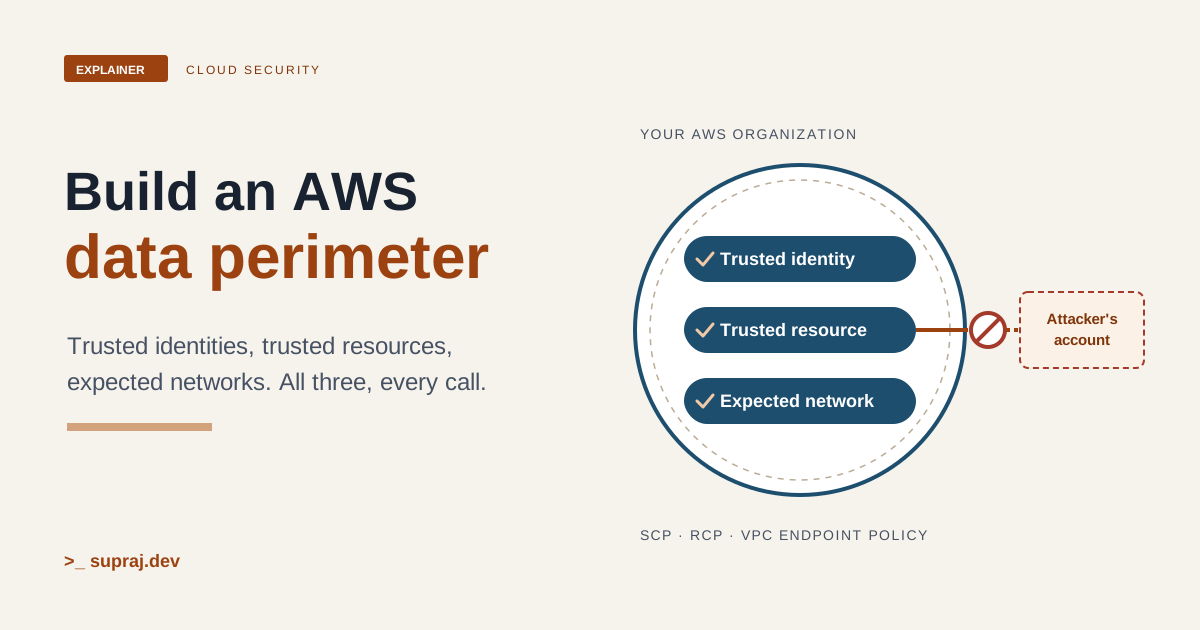
Picture your AWS organization as an office building. Staff carry badges. Every room has a lock and a rule card on the door. There is a guard in the lobby. A data perimeter is the short list of building rules that hold no matter what any one room owner writes on their own door.
01 / The situation
What did the security review actually find?
Two findings, both common. The first: a developer's role credentials leak, from a laptop or a pasted command. Nothing in the account stops the holder from reading your buckets and writing the objects into a bucket they own in a different AWS account. Their own bucket policy happily lets your role write to it. The second: a SaaS vendor reads your account through an IAM role you created for it, and the review can't say who else could make that vendor use the role.
AWS describes the first risk almost word for word. A developer could create a bucket in a personal account with a policy that "allows them to upload objects by using their corporate credentials", allowing data to move "from your corporate environment" to that personal account. [17] The network version is just as plain: once credentials are obtained, "a threat actor can use them to access your resources and potentially exfiltrate your corporate data". [18]
Leadership's ask is a guarantee, not a better review. Least privilege helps, but it is per-role, per-bucket, and one mistake wide. What they want is a rule that holds across every account: only our people, only our data stores, only from our networks.
- In the building
- A stolen badge still opens doors, and nothing stops its holder carrying boxes out to a van parked across the street.
- In AWS
- Stolen role credentials still pass IAM checks, and nothing stops the holder writing your data to a bucket in an account you don't own.
02 / The idea
What is a data perimeter, in AWS's own words?
AWS defines it as a set of permission guardrails that "help make sure that only your trusted identities are accessing trusted resources from expected networks". [1] Each of the three terms has a definition: [1]
- Trusted identities: principals (IAM roles or users) in your AWS accounts, and AWS services acting on your behalf.
- Trusted resources: resources owned by your AWS accounts, or by AWS services acting on your behalf.
- Expected networks: your on-premises data centers and VPCs, or networks of AWS services acting on your behalf.
The whitepaper turns this into one rule: "access can only be allowed if the identity is trusted, the resource is trusted, and the network is expected." [2] It also calls these "necessary (but not sufficient)" conditions. [3] Passing the perimeter doesn't grant anything. Your normal IAM policies still have to allow the call.
Each condition is checked from two sides, which gives six control objectives. AWS maps each one to a policy type: [1]
| Perimeter | Control objective | Policy |
|---|---|---|
| Identity | Only trusted identities can access my resources | RCP |
| Identity | Only trusted identities are allowed from my network | VPC endpoint policy |
| Resource | My identities can access only trusted resources | SCP |
| Resource | Only trusted resources can be accessed from my network | VPC endpoint policy |
| Network | My identities can access resources only from expected networks | SCP |
| Network | My resources can only be accessed from expected networks | RCP |
AWS is clear that these are coarse-grained guardrails that "do not replace your existing fine-grained access controls". [1] The sample repository adds another boundary worth saying out loud: a data perimeter restricts access over AWS APIs. Traffic inspection and encryption are separate controls. [13]
- In the building
- Three checks on every visit: is this a staff badge, is this one of our rooms, and did they come in through one of our doors?
- In AWS
- Three conditions on every request: a trusted identity, a trusted resource and an expected network. All three must hold.
03 / The tools
Which policy can stop which move?
Four policy types matter here, and the key question for each is whose actions it can touch.
Service control policies (SCPs) set the maximum permissions for IAM users and roles in your member accounts. They never grant anything. They "don't affect users or roles from accounts outside the organization", don't affect the management account, and don't affect service-linked roles. [7] In the building, an SCP is the staff handbook: it binds your people wherever they go, including other companies' buildings.
Resource control policies (RCPs) are the mirror image. They set the maximum permissions for resources in your member accounts, and they apply "regardless of whether the principals belong to the same organizations or not". If an RCP blocks something, no bucket policy can open it back up. [5] That's the rule card the building fixes to every door, which no room owner can peel off. AWS puts the split simply: SCPs "can only impact the effective permissions for principals within your AWS organization", while RCPs can affect "principals external to your organization". [8]
RCPs have limits you need to know before you design around them. They only cover the
services on AWS's supported list. They don't affect resources in the management account,
calls made by service-linked roles, or AWS managed KMS keys.
[5] Every statement you write must use
"Effect": "Deny", the Principal must be
"*", and NotPrincipal and NotAction aren't
supported. [6]
Resource-based policies, such as bucket policies and role trust policies, are the room owner's own guest list. For services that RCPs don't cover yet, AWS says to enforce perimeter controls with resource-based policies attached to each resource. [1]
VPC endpoint policies are the lobby guard. They control which principals, actions and resources can be reached through one endpoint. An endpoint policy "does not override or replace identity-based policies or resource-based policies". If you don't attach one, the default policy allows full access, and if a service doesn't support endpoint policies at all, the endpoint allows full access. [12]
Now map these onto the moves an attacker could make. Pick one.
Figure 1 · Which control stops which move?
| Control | Effect on this move |
|---|---|
| Resource perimeter SCP | Pick a move above. |
| Identity perimeter RCP | Pick a move above. |
| Network perimeter (SCP and RCP) | Pick a move above. |
| External ID in the role trust policy | Pick a move above. |
Pick a move to see which of the four controls stops it. No single control stops all four.
The pattern: the SCP stops your people taking data out, the RCP stops outsiders coming in, and only the network perimeter catches a copy made from outside your networks. The vendor case needs a fix in the trust policy itself, covered in chapter 6.
- In the building
- The staff handbook binds your people. The fixed door cards bind every visitor to your rooms. The lobby guard checks who walks through your entrance.
- In AWS
- SCPs limit your principals. RCPs limit access to your resources by anyone. VPC endpoint policies limit what passes through your endpoints.
04 / The levers
Which condition keys do the work?
Every perimeter policy is a deny statement with conditions. The trick is in knowing when each key is present in a request, because a missing key changes the result. These descriptions follow the IAM global condition keys reference. [10]
-
aws:PrincipalOrgIDcompares the caller's organization ID. It is present "only if the principal is a member of an organization", and anonymous requests don't include it. Use it in RCPs for the identity perimeter. -
aws:ResourceOrgIDcompares the organization of the resource being accessed. It is present only if the resource's owner account is in an organization. Some actions don't support it, including all Amazon EBS actions and several "accept invitation" style calls. Use it in SCPs for the resource perimeter. -
aws:SourceVpcandaws:SourceVpcecompare the VPC and the VPC endpoint a request came through. Both are present only when the request uses a VPC endpoint. AWS recommendsaws:SourceVpcArninstead ofaws:SourceVpcwhere a service supports it. -
aws:SourceIpcompares the caller's IP address. It only works for public ranges, and it is absent when the request uses a VPC endpoint. -
aws:PrincipalIsAWSServiceis true when an AWS service calls your resource directly with its own service principal, such as CloudTrail writing logs to a bucket. -
aws:ViaAWSServiceis true when a service calls another service on your principal's behalf using forward access sessions. -
aws:SourceOrgID,aws:SourceAccountandaws:SourceArndescribe the resource that triggered a service-to-service call. They are present only when an AWS service principal makes the call on behalf of that resource.
AWS also lists aws:VpceOrgID, aws:VpceOrgPaths and
aws:VpceAccount, which match any endpoint your organization owns, so new
endpoints are covered without policy edits. The catch: AWS recommends them "only if all
services you want to restrict access to are currently supported", and suggests
aws:SourceVpc and aws:SourceVpce when you need wider coverage.
[1]
Because keys can be missing, perimeter policies use negated operators with
IfExists, such as StringNotEqualsIfExists. A negated condition
in a deny statement "still evaluates to true if the key is not present". The
IfExists suffix makes that intent explicit.
[17] So a request with no organization ID at all, from a
standalone account, is denied too.
- In the building
- The guard reads the company name printed on a badge. No badge, or no company name, is treated the same as the wrong company.
- In AWS
- Conditions read keys from the request context. With negated operators, a missing key makes the deny apply.
05 / The exceptions
How do you let AWS services through?
This is where first drafts break production. AWS services act for you constantly, and they don't carry your badge.
The reference spells out the first trap. A bucket policy that requires
aws:PrincipalOrgID blocks "any AWS services that interact with your
internal resources, such as AWS CloudTrail sending log data to your Amazon S3 buckets".
[10] The fix is to exempt service principals with
aws:PrincipalIsAWSService.
The second trap is the network. When AWS services make calls on your behalf, "certain
network-specific authorization context is redacted". A deny on
aws:SourceVpc or aws:SourceVpce can block service principals,
so AWS says to exclude them with aws:PrincipalIsAWSService set to
false. For forward access sessions, the source VPC "is not preserved", so
you also need aws:ViaAWSService or aws:CalledVia.
[10] A common case: S3 calling KMS with your credentials to
encrypt an object. [18]
Here is AWS's network perimeter RCP for S3, which shows both exemptions in place: [18]
{
  "Version": "2012-10-17",
  "Statement": [
    {
      "Sid": "EnforceNetworkPerimeter",
      "Effect": "Deny",
      "Principal": "*",
      "Action": "s3:*",
      "Resource": "*",
      "Condition": {
        "NotIpAddressIfExists": {
          "aws:SourceIp": "<my-corporate-cidr>"
        },
        "StringNotEqualsIfExists": {
          "aws:VpceOrgID": "<my-org-id>"
        },
        "BoolIfExists": {
          "aws:PrincipalIsAWSService": "false",
          "aws:ViaAWSService": "false"
        }
      }
    }
  ]
}
The third trap is AWS's own resources. Some services need resources that live in
AWS-owned accounts, so a strict aws:ResourceOrgID SCP can break them. AWS
names AWS Data Exchange as one example. [10] The sample
resource perimeter SCP handles this with a long NotResource list of
AWS-owned ARNs, such as AWS managed IAM policies and AWS-owned SSM documents.
[15] Start from that list rather than from a blank page.
Finally, service roles: S3 replication, for example, calls S3 from the service's own network using a service role, so a network RCP denies it until you exempt that role. [18] Service-linked roles are different: SCPs and RCPs don't apply to them at all. [5] [7]
- In the building
- The cleaning contractor has its own passes and uses the service entrance. The rules need a line that says the building's own contractors may pass.
- In AWS
- AWS services use service principals, forward access sessions or service roles. Each path needs its own documented exemption.
06 / The vendor finding
What is the confused deputy problem?
AWS defines it as "a security issue where an entity that doesn't have permission to perform an action can coerce a more-privileged entity to perform the action". [11] There are two kinds, and the review found the first.
Cross-account. You give a vendor a role in your account. The vendor serves many customers. Another customer learns or guesses your role ARN, "which isn't a secret", and asks the vendor to use it. The vendor, now a confused deputy, reaches into your account for them. [11] The perimeter doesn't help here, because the vendor's account is one you chose to trust. The fix is an external ID in the role's trust policy. The vendor generates a unique value per customer, and you get it from the vendor rather than making it up yourself: [11]
{
  "Version": "2012-10-17",
  "Statement": {
    "Effect": "Allow",
    "Principal": { "AWS": "<vendor-account-id>" },
    "Action": "sts:AssumeRole",
    "Condition": {
      "StringEquals": { "sts:ExternalId": "<value-from-vendor>" }
    }
  }
}
The whitepaper ties this back to the perimeter: RCPs can help make sure nobody outside
your organization can assume your roles, and exceptions for known external accounts
"should use the sts:ExternalId condition".
[4]
Cross-service. A bucket policy that trusts
cloudtrail.amazonaws.com with no conditions could also receive logs "from
an unauthorized actor in their AWS account, if they know the name of the S3 bucket".
[11] The organization-wide fix is an RCP that denies service
principals unless the triggering resource is in your organization. The
Null check on aws:SourceAccount limits the rule to service
calls that carry the key, so integrations that don't use it keep working:
[10]
{
  "Version": "2012-10-17",
  "Statement": [
    {
      "Sid": "RCPEnforceConfusedDeputyProtection",
      "Effect": "Deny",
      "Principal": "*",
      "Action": ["s3:*"],
      "Resource": "*",
      "Condition": {
        "StringNotEqualsIfExists": { "aws:SourceOrgID": "o-xxxxxxxxxx" },
        "Null": { "aws:SourceAccount": "false" },
        "Bool": { "aws:PrincipalIsAWSService": "true" }
      }
    }
  ]
}- In the building
- A courier firm has a key to your office. Without a job number only you know, anyone who knows your room number can send the courier in.
- In AWS
-
The external ID ties each vendor call to one customer.
aws:SourceOrgIDties each service call to a resource in your organization.
07 / The playbook
How do you roll it out without breaking production?
AWS is blunt about the risk. It "strongly recommends" that you don't attach SCPs or RCPs to the organization root without thoroughly testing them. For RCPs it suggests starting on individual test accounts, then OUs lower in the hierarchy, then working up. [5] [7]
AWS's own summary of the method is to "define your control objectives first", then implement them with SCPs, RCPs and VPC endpoint policies. [28]
Recommendation: start with one control objective, the identity perimeter, as an RCP on S3 and STS. It closes the "open your bucket" move and stops unknown outside accounts assuming your roles, and it's the one SCPs can't do. Add the resource perimeter SCP next, because it blocks the "write to their bucket" move. Do the network perimeter last, since it has the most exceptions.
Figure 2 · A staged rollout, one step at a time
- 1. Pick one objectiveIdentity perimeter on S3 and STS, as an RCP.
- 2. Write down trustOrg ID, partner accounts, AWS service paths.
- 3. Read the logsCloudTrail, Athena, IAM Access Analyzer.
- 4. Test in a sandboxAttach to a test account or sandbox OU.
- 5. Widen slowlyLower OUs first, then up the tree.
- 6. Lock and watchProtect exception tags. Alert on denies.
Six steps. Use Next to walk through what each one involves and what can go wrong.
Write down trust first. The sample repository asks you to replace
placeholders such as your organization ID, partner account IDs, and AWS-owned account
IDs like the Elastic Load Balancing account if you use access logging.
[13] Here is a trimmed version of the sample identity
perimeter RCP, cut down to S3 and sts:AssumeRole, with one vendor account
as a named exception: [14]
{
  "Version": "2012-10-17",
  "Statement": [
    {
      "Sid": "EnforceOrgIdentities",
      "Effect": "Deny",
      "Principal": "*",
      "Action": ["s3:*", "sts:AssumeRole"],
      "Resource": "*",
      "Condition": {
        "StringNotEqualsIfExists": {
          "aws:PrincipalOrgID": "<my-org-id>",
          "aws:PrincipalAccount": ["<vendor-account-id>"],
          "aws:ResourceTag/dp:exclude:identity": "true"
        },
        "BoolIfExists": {
          "aws:PrincipalIsAWSService": "false"
        }
      }
    }
  ]
}
The full sample covers many more services and adds a confused deputy statement like the
one in chapter 6. [14] Watch the size: an RCP can hold
5,120 characters, and you can attach at most five RCPs to the root, an OU or an account.
The default RCPFullAWSAccess policy counts towards those five and can't be
detached. [9]
Read the logs before you enforce. AWS's impact-analysis post recommends an organization CloudTrail trail, Athena to query it, and an IAM Access Analyzer external access analyzer "with your organization as the zone of trust" to find resources already shared outside. S3 object calls are CloudTrail data events, so enable S3 data events if you want to see which buckets your people write to. [19] The open-source data perimeter helper automates these queries. [1]
Then attach it to a sandbox. These are the documented commands. RCPs must first be enabled on the root, which needs an organization with all features enabled: [5] [24] [22] [23]
aws organizations enable-policy-type \
  --root-id r-examplerootid111 \
  --policy-type RESOURCE_CONTROL_POLICY

aws organizations create-policy \
  --content file://identity-perimeter-rcp.json \
  --name identity-perimeter-s3-sts \
  --type RESOURCE_CONTROL_POLICY \
  --description "Deny S3 and AssumeRole from outside the org"

aws organizations attach-policy \
  --policy-id p-examplepolicyid111 \
  --target-id ou-examplerootid111-exampleouid111
For SCPs, AWS suggests a test OU you move accounts into "one at a time, or at least in small numbers", and using IAM service last accessed data or CloudTrail to see what each account really uses. [7]
- In the building
- Try the new door rule on one empty floor, watch who gets stuck for a week, then roll it out floor by floor.
- In AWS
- Attach to a test account or sandbox OU, review denies in CloudTrail, then move up the OU tree.
08 / The proof
How do you know it worked?
Prove it with a failing call, not a passing one. Take a test bucket in a member account under the new RCP. Add a bucket policy statement that allows a principal from a sandbox account outside the organization to list it, then make the call as that principal. The bucket policy allows it. The RCP should still deny it, because the RCP applies to your bucket "even when accessed by users" from another account. [5]
aws s3api list-objects-v2 --bucket <your-test-bucket>Command syntax: [29]
The denial names its source. IAM's troubleshooting guide shows the message ending "with
an explicit deny in a resource control policy", followed by the policy ARN when one is
provided. SCP denials say "service control policy" instead.
[20] Run the same kind of test for each move in Figure 1:
a write from a member account to a bucket in your sandbox account outside the
organization, and an sts assume-role from an unlisted account.
[25]
Then prove the happy paths still work: CloudTrail still delivers logs, KMS-encrypted uploads still succeed, replication still runs, and the vendor can still assume its role with its external ID.
- In the building
- Send a visitor with a forged guest pass to a locked room. The door should refuse, even though the room's own list says yes.
- In AWS
- An outside principal allowed by a bucket policy should get AccessDenied that names the RCP.
09 / The failure modes
What goes wrong in production?
- Forgetting the management account. Neither SCPs nor RCPs affect it. [5] [7] Keep the data you are protecting in member accounts.
- Assuming RCPs cover every service. They cover a listed set. For the rest, you need resource-based policies. [1] [5]
-
Writing
"Action": "*"in an RCP. A customer managed RCP must name a service, such as"s3:*". [6] - Cross-Region calls skipping your endpoint. VPC endpoints only route to the same Region, so a call to a bucket in another Region doesn't traverse the endpoint or its policy. The whitepaper lists proxy and centralized-endpoint fixes. [4]
-
Mixing up
aws:SourceIpand VPC endpoints. The IP key is absent on endpoint traffic, so a network rule needs both an IP and a VPC or endpoint condition. [10] The repository's network perimeter SCP combinesaws:SourceIp,aws:SourceVpcandaws:ViaAWSServicefor exactly this reason. [16] -
Unprotected exception tags. If a tag like
dp:exclude:identitygrants an exception, anyone who can set it can switch off the perimeter. The repository ships governance SCP and RCP examples to protect those tags. [13] -
Sharing APIs.
aws:ResourceOrgIDcan't stop sharing, because the shared resource is still yours. Deny calls likeModifySnapshotAttribute,ModifyImageAttributeandModifyDBSnapshotAttributein an SCP instead. [4] -
Locking out platform roles. If you use AWS Control Tower, you may need
to exclude its roles, such as
AWSControlTowerExecution. [13] - Expecting CloudTrail to show the condition keys. It records request parameters, not IAM condition key values, so you still have to infer them. [19]
And one honest limit. If the stolen credential is used from a network you trust, such as a compromised laptop on the corporate VPN, all three conditions are true. The perimeter has done its job, and the rest is up to least privilege, short-lived credentials and detection.
- In the building
- A side door left open, or a "staff only" sticker anyone can print.
- In AWS
- The management account, unsupported services, cross-Region routes and unprotected exception tags.
10 / The watch
What should you monitor?
-
Perimeter denials. CloudTrail's
errorCodeanderrorMessagefields record authorization failures. [21] Alert on messages naming a resource or service control policy, split by principal. A spike from one of your own roles is a broken exception. A spike from an outside account is someone testing your door. -
Policy changes. Alert on the Organizations calls that change the
guardrails, such as
UpdatePolicy,DetachPolicyandDisablePolicyType. [26] - Exception tags. Watch for changes to the tags your policies use as exceptions. [13]
- External sharing. IAM Access Analyzer external access findings, with your organization as the zone of trust, show resources shared outside. [19] Access Analyzer is Regional, so enable it in every Region you use. [27]
-
Endpoint usage. CloudTrail's
vpcEndpointIdandvpcEndpointAccountIdfields show which endpoint, and whose, a request used. [21]
- In the building
- A log of refused doors, and an alarm when someone edits the rules.
- In AWS
- CloudTrail denials, Organizations policy-change events, tag changes and Access Analyzer findings.
Keep these names
A small glossary
- Data perimeter
- Organization-wide guardrails so only trusted identities reach trusted resources from expected networks.
- SCP (service control policy)
- Caps what IAM users and roles in your member accounts can do. Never grants.
- RCP (resource control policy)
- Caps what anyone can do to resources in your member accounts, for supported services. Never grants.
- Resource-based policy
- A policy attached to a resource, such as a bucket policy or a role trust policy.
- VPC endpoint policy
- A policy on one VPC endpoint that limits which principals, actions and resources pass through it.
- Service principal
- The identity an AWS service uses to call your resources directly, such as
cloudtrail.amazonaws.com. - Forward access session (FAS)
- A service calling another service with your principal's credentials, flagged by
aws:ViaAWSService. - Service-linked role
- A role tied to one AWS service. SCPs and RCPs don't apply to it.
- Confused deputy
- A trusted party tricked into using its access for someone who shouldn't have it.
- External ID
- A per-customer value a vendor supplies, checked with
sts:ExternalIdin a role trust policy.
Check the concept
Can you explain it back?
1. Why can't an SCP stop an outside account reading your bucket?
SCPs only limit principals in your own member accounts. The outside account's principals aren't affected. An RCP on your bucket is what limits them.
2. Why can't an RCP stop your role writing to an attacker's bucket?
RCPs apply to resources in your organization. The attacker's bucket isn't yours. The
resource perimeter SCP, using aws:ResourceOrgID, limits your role instead.
3. Your identity RCP broke CloudTrail log delivery. What did you forget?
An exemption for AWS service principals, such as
"BoolIfExists": {"aws:PrincipalIsAWSService": "false"} in the deny.
4. Why does the vendor role need an external ID if the RCP already lists the vendor's account?
The RCP trusts the vendor's account. It can't tell which of the vendor's customers the call is for. The external ID ties the call to you.
5. Where should a new RCP be attached first?
A test account or sandbox OU, then OUs lower in the tree, and the root only after reviewing CloudTrail denials.
Continue the thread
Related reading on this site
- Least-privilege AWS IAM with an AI agent. The fine-grained half of the job: trimming each role to what CloudTrail shows it really uses.
- The AWS MCP Server is now generally available. What changes when an agent holds AWS credentials, and why guardrails matter more.
- Kubernetes certificates and TLS explained. The other side of trust: how services prove who they are on the wire.
Read further
Sources
All accessed 20 November 2026. AWS documentation pages are the versions served that day; service support lists on them change over time.
- AWS IAM User Guide: Establish permissions guardrails using data perimeters
- AWS whitepaper: Building a Data Perimeter on AWS, Introduction
- AWS whitepaper: Building a Data Perimeter on AWS, Perimeter overview
- AWS whitepaper: Building a Data Perimeter on AWS, Perimeter implementation
- AWS Organizations User Guide: Resource control policies (RCPs)
- AWS Organizations User Guide: RCP syntax
- AWS Organizations User Guide: Service control policies (SCPs)
- AWS Organizations User Guide: Authorization policies (differences between SCPs and RCPs)
- AWS Organizations User Guide: Quotas and service limits
- AWS IAM User Guide: AWS global condition context keys
- AWS IAM User Guide: The confused deputy problem
- AWS PrivateLink Guide: Control access to VPC endpoints using endpoint policies
- aws-samples/data-perimeter-policy-examples: README, commit c1baf3c
- aws-samples/data-perimeter-policy-examples: identity_perimeter_rcp.json, commit c1baf3c
- aws-samples/data-perimeter-policy-examples: resource_perimeter_scp.json, commit c1baf3c
- aws-samples/data-perimeter-policy-examples: network_perimeter_sourcevpc_scp.json, commit c1baf3c
- AWS Security Blog: Establishing a data perimeter on AWS: Allow only trusted resources from my organization
- AWS Security Blog: Establishing a data perimeter on AWS: Allow access to company data only from expected networks
- AWS Security Blog: Establishing a data perimeter on AWS: Analyze your account activity to evaluate impact and refine controls
- AWS IAM User Guide: Troubleshoot access denied error messages
- AWS CloudTrail User Guide: CloudTrail record contents
- AWS CLI Command Reference: organizations create-policy
- AWS CLI Command Reference: organizations attach-policy
- AWS CLI Command Reference: organizations enable-policy-type
- AWS CLI Command Reference: sts assume-role
- AWS Organizations API Reference: Actions
- AWS IAM User Guide: Getting started with IAM Access Analyzer
- AWS: Data perimeters on AWS
- AWS CLI Command Reference: s3api list-objects-v2
Written with AI assistance. Every technical claim was checked against the original sources listed above.